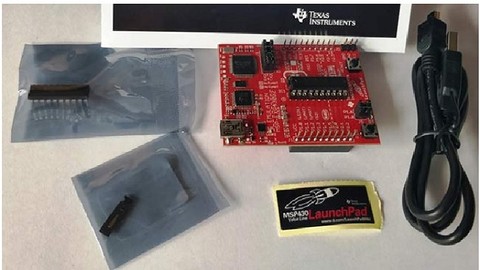
learn MSP430 launch pad programming with Energia IDE like a Arduino programming – step by step guide by making projects. In this course, you will learn to program MSP430D2 launch pad with Energia IDE by making practical projects.
Module#1 Getting started with MSP430G2 Launchpad
-
Introduction to MSP430G2 Launchpad – overview of board
-
How to download and install Energia IDE
-
Getting started with Energia IDE and connecting your board with Energia
Module#2 Overview of MSP430 programming with Energia IDE
-
Pin mapping of MSP430 Launch pad with Engergia IDE
-
Basics of Energia sketch ( first code)
-
How to define variables
-
How to define functions
Module#3 input output ports of MSP430
-
How to use input output ports of MSP430G2553
-
LED blinking using MSP430G2 Launchpad
-
How to use push button with MSP430G2 Launchpad
-
How to use RGB LED with MSP430G2 Launchpad
-
PIR motion sensor interfacing with MSP430G2 LanuchPad
Module#4 LCD interfacing
-
Introduction to 16X2 LCD
-
How to interface LCD with 16×2 LCD
-
How to display counter value on LCD
-
How to scroll text on LCD
Module#5 Serial communication
-
What is UART communication ?
-
How to use UART communication module of MSP430G2553?
-
How to send data through UART?
-
How to receive data through UART?
Module#6 Analog to digital converter of MSP430
-
How to use ADC of MSP430
-
How to measure voltage with MSP430
-
Temperature sensor interfacing with MSP430
-
rain sensor interfacing with MS430
Module#7 Pulse width modulation
-
How to generate PWM with MSP430 microcontroller
-
How to control brightness of LED with PWM and MSP430?
Module#8 servo motor interfacing (UPCOMING)
-
How to interface servo with MS430
-
How to control direction of dc motor
Module#9 stepper motor interfacing (UPCOMING)
-
How to interface servo motor with MS430
-
How to control servo motor